Name and birth signs: text, sizes and colors
How to put together a name sign, birth sign or name train on this site: text limits, fonts, sizes, colors and what to check before you print.
Updated 2026-10-27
Pick the tool that matches the result
- Birth Letter Sign: a large standing initial with the name in front and the birth details on small labels.
- Name Train: one wagon per letter behind a locomotive, coupled together after printing.
- Name Sign: a name as connected letters, for a door, a desk or a wall.
- Nameplate: a flat plate with one or two lines of text, for a door, a desk or a machine.
Text
Each tool limits the length: the name train takes up to 10 letters, the birth letter sign up to 14 for the name and one letter or digit for the initial, the nameplate 24 characters on the first line. The preview shows exactly what will print, so read it letter by letter before you generate. A typo in a name is the most expensive mistake on these prints.
The birth details on the birth letter sign are plain text: type them as you want them shown, including the unit ("3240 g", "7 lb 2 oz", "51 cm"). Switch off the details you don't want.
Fonts and letters that hold together
Script fonts join the letters of a name into one piece. With a font whose letters don't touch, the letters would print as loose pieces, so the birth letter sign offers "Name on a base bar" under Stand: the name then stands on a bar that holds it together.
Thin strokes print poorly. If a font looks thin at the size you chose, make the text bigger or pick a bolder font. Text that prints well has the details.
Size
The largest size decides whether it fits your printer: the letter height on the birth letter sign (120 to 250 mm), the plate width on a nameplate, the rows of wagons on the name train. Set "Bed size" under the preview to see a warning when it is too big. The name train has its own "Bed width" setting: the pieces start a new row past that width.
Colors
These tools build the colored areas as separate parts. For a multi-material print, download the 3MF and check each part's filament assignment in your slicer. A filament change at a layer height works only when the color areas occupy different layers. On the name train and birth letter sign, some colored parts share layers, so one layer change cannot reproduce all the shown colors. For single-material printing, a single-color version avoids that limitation. Check the model and tool-specific instructions before attempting separate-part printing or assembly. Printing in more than one color explains the options.
Before you print
- Check the spelling in the preview, and the date and time format.
- On the name train, switch "Show" back to "Ready to print" before you download: "Assembled" is only for looking at the coupled train.
- Test the coupler fit of the name train with a two-letter name first, and change "Coupler clearance" if needed.
- These are decorations, not toys. Small parts can be swallowed: keep them out of reach of babies and young children, and out of cribs.
Make it
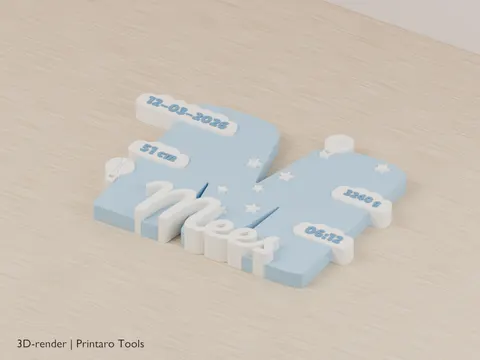
Birth Letter Sign
A standing initial with the birth details on clouds
3D renderBaby & Birth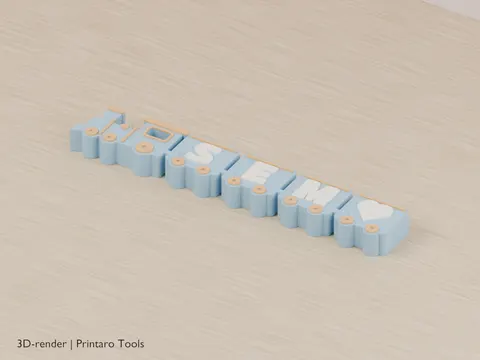
Name Train
A locomotive with one wagon per letter of the name
3D renderBaby & Birth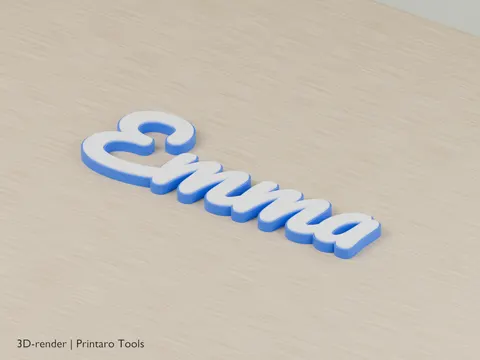
Name Sign
Connected name letters for a door, wall or desk
3D renderPersonalization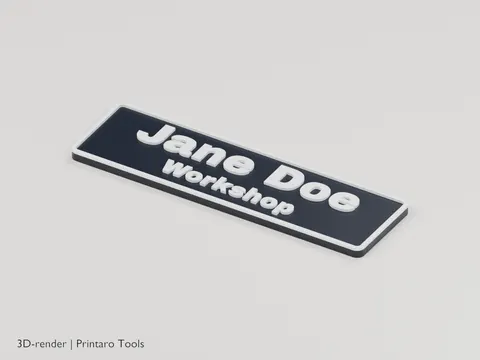
Nameplate
Create printable nameplates
3D renderLabels