3D printer maintenance when you print a lot: a schedule that keeps prints sellable
What to clean, lubricate and replace, and how often, based on Bambu Lab's maintenance guide for the A1, plus how to plan it around orders.
Updated 2026-11-05
Why it matters more when you sell
A printer that runs for a few hours a week rarely needs attention. A printer that runs every day for orders wears much faster, and a worn part shows up as a failed print, a rough surface or a print that comes loose overnight. Regular maintenance costs a little time and a few parts, and prevents the expensive problems: missed deadlines and wasted filament.
The intervals below come from Bambu Lab's maintenance guide for the A1, read on 5 November 2026. Other printers have their own guides with different intervals. Use your printer's guide if it differs, and treat these as an example of what such a schedule looks like.
Every week
- Clean the part cooling fan and the hotend cooling fan: check the air ducts for dust and bits of filament.
- Clean the build plate. Fingerprints and dust make prints come loose, so avoid touching the print surface.
Every month
- Clean the X and Y rails and lubricate them with lubricant oil. Bambu Lab says not to use grease on the A1's X rail.
- Clean the hotend heating assembly: remove the silicone sock and wipe the residue off.
Every three months
- Lubricate the lead screws with grease.
- Lubricate the X and Y idler pulleys with a drop of oil.
By the amount of filament
Counting spools is easier than counting hours. Note the date each time you open a spool, and you know when the next job is due.
- Check the filament cutter blade every 3 spools of PLA, ABS or PETG, and replace it when it no longer cuts cleanly.
- Clean the nozzle and the extruder gear every 5 spools of PLA or PETG, or every 2 spools of carbon-fiber filament.
- Replace the PTFE tube every 6 spools of PLA and similar materials, or every 2 spools of carbon-fiber or other high-friction filament.
When something tells you
- Belts: the A1 checks belt tension itself and asks you to re-tension when needed.
- Hotend: replace it when it is worn or leaks and cleaning doesn't help.
- Silicone sock and nozzle wiper: replace them when they are damaged.
- Extruder: clean it when the printer under-extrudes or clogs.
- Filament sensor: clean it when it gives false alarms.
Plan maintenance around orders
Do the weekly and monthly jobs at a fixed moment, for example on a quiet day, instead of when a print fails. Before a large order or a busy season, do the monthly jobs early and check the parts that are due soon.
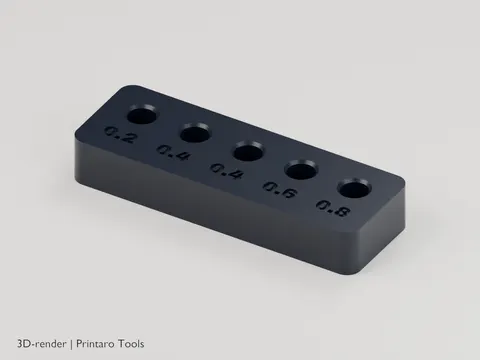
Keep the parts that wear out in stock: a spare hotend or nozzle, a PTFE tube, a cutter blade and a second build plate. A printer that waits a week for a part is a week without sales. Nozzles are small and easy to mix up, and a nozzle storage block gives each spare its own labeled place.
Keep a log
Write down what you did and when, and how many spools the printer has used since. A log shows when a part wears out faster than expected, which often points to a cause such as an abrasive filament. It also gives you the numbers to put the cost of wear into your prices, as described in what a 3D print really costs.
Frequently asked questions
How often should I lubricate a 3D printer?
Bambu Lab's guide for the A1 lubricates the X and Y rails every month and the lead screws and idler pulleys every three months. Check your own printer's guide, as intervals differ per model.
How often should I replace the PTFE tube?
Bambu Lab's guide for the A1 replaces it every 6 spools of PLA and similar materials, and every 2 spools of carbon-fiber or other high-friction filament.